Food Loops Logo

Food Loops

CalculatorsHelpAboutBlogSupportDownload
← Help center

Getting started

The four tabs

Home, Diary, Foods and Plan — what each one is for and when you'll use it.

Food Loops has four tabs: Home for today at a glance, Diary for the detail, Foods for your library, and Plan for your targets.
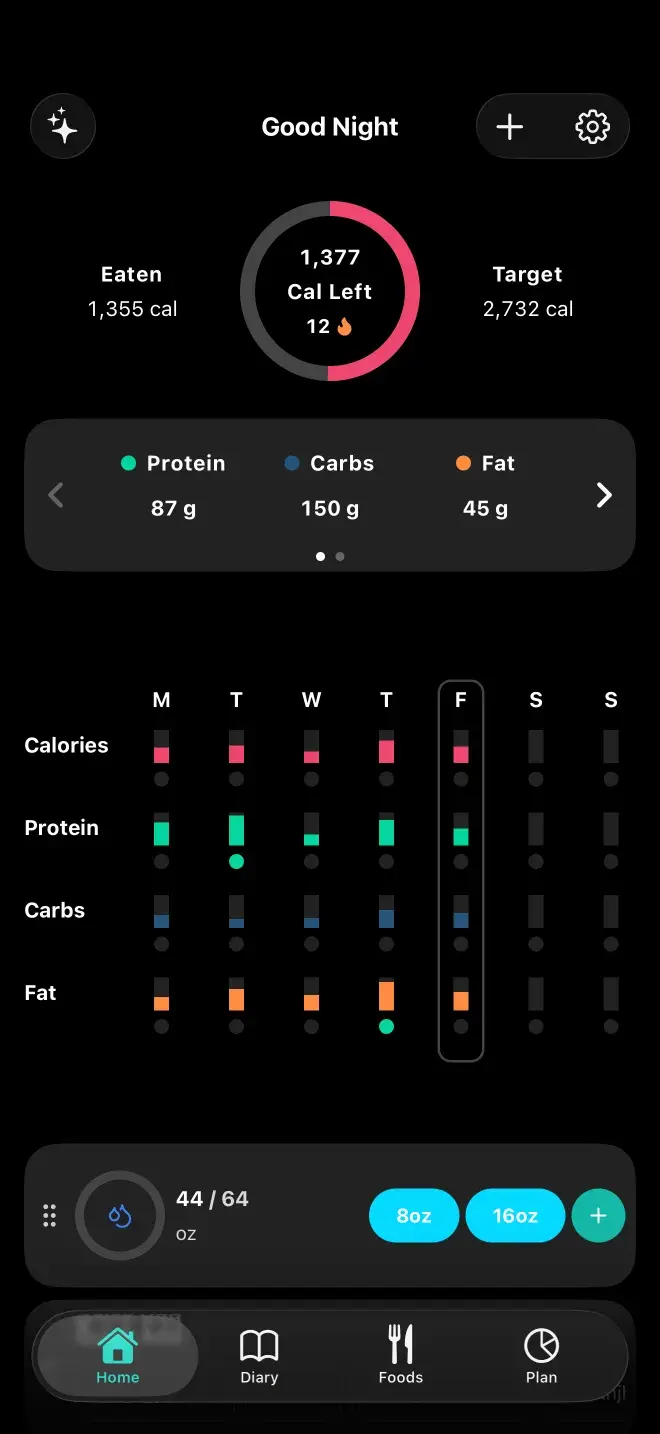
The Food Loops home screen: a ring showing 1,377 calories left of a 2,732 target, a 12-day streak, protein, carb and fat totals, a week-at-a-glance nutrition grid, and a water tracker.
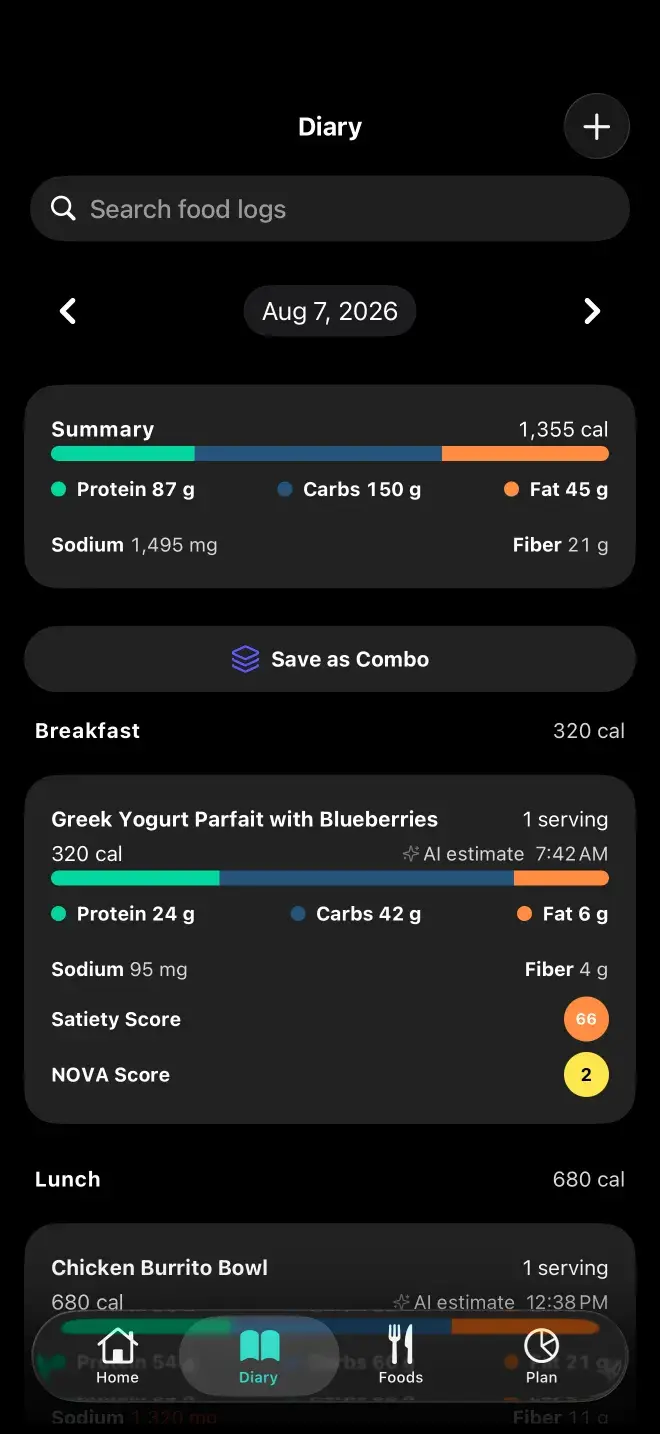
The Food Loops diary, listing a day's logged meals grouped under Breakfast, Lunch, Dinner and Snack, each with its calories and macros.
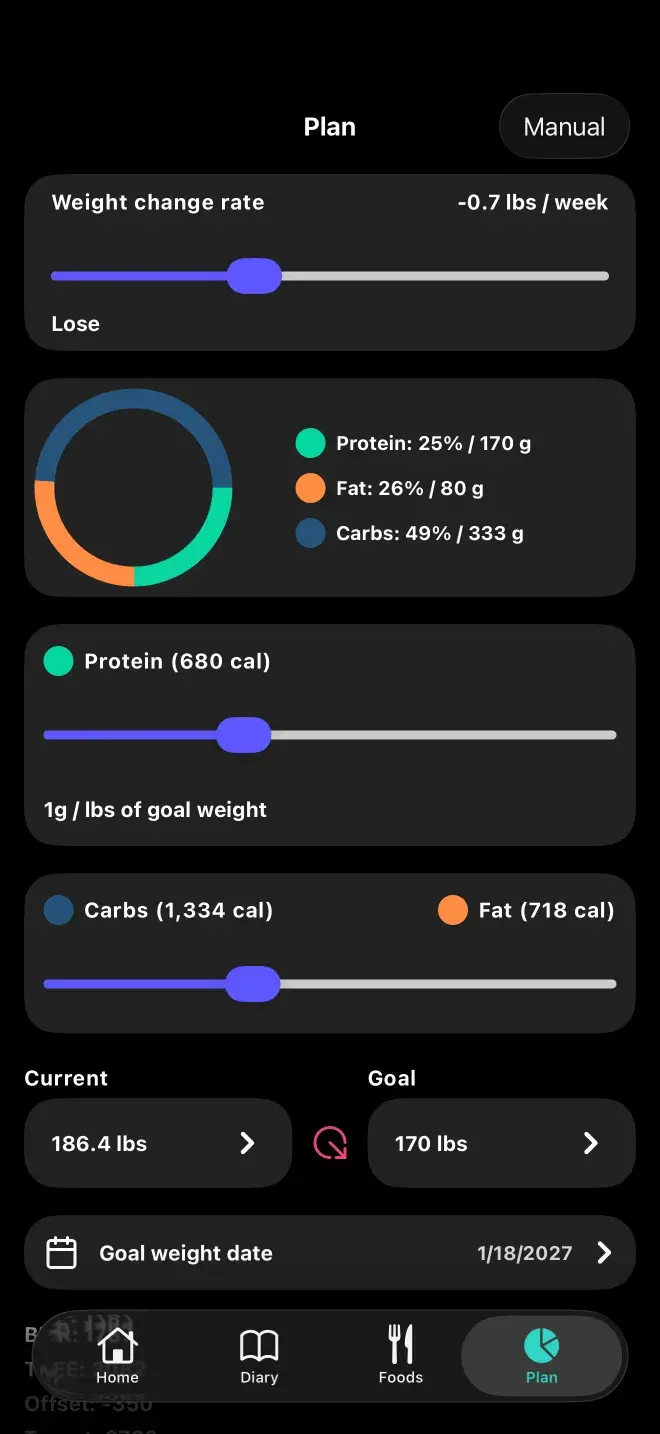
The Food Loops plan screen, with sliders for weekly weight-change rate, protein per pound and carb-to-fat split, and a pie chart of the resulting macro targets.

Home

A calorie ring showing what you've eaten against your target, macro rings you can swipe between (protein, carbs and fat on the first page; fiber and sodium on the second), a week-at-a-glance strip, and optional widgets for water, steps and quick notes. Tap a macro ring to toggle between grams and percentages.

Diary

Your log, one day per page, swiping left and right through the calendar. Meals are grouped into Breakfast, Lunch, Dinner and Snack based on the time they were logged. Long-press to jump back to today.

Foods

Everything you've ever logged, searchable, with recents and favorites. This is the library that makes the app faster the longer you use it — the tenth time you eat something, logging it is one tap.

Plan

Your calorie and macro targets. Guided mode gives you sliders for rate of change, protein per pound and the carb-to-fat split. Manual mode lets you type the gram targets directly if you already know what you want.

Previous

Your first week

Next

Five ways to log a meal

Still stuck? Get in touch.

App StoreGoogle Play

Nutrition Facts

Food Loops · per install

Serving Size

1 phone

Servings Per Device

∞

Accounts Required

0

Email Addresses Collected

0

Passwords To Forget

0

Food Logs Stored On Our Serversthey live in SQLite, on your phone

0

Meal Photos Kept After Analysisprocessed, then dropped

0 g

Ways To Log A Meal

5

Barcode Scans

Unlimited

Percent Daily Values are not based on anything, because there is no recommended daily allowance of food tracking apps. Every number above is real — see how your data is handled.

Food Loops Logo

Food Loops

A food tracker that turns a photo, a barcode, or a plain sentence into macros — and keeps the results on your phone.

Product

HomeCalculatorsHelpWeight ForecasterBlood SugarBlog

Company

AboutDownloadSupportFAQ

Legal

Privacy PolicyTerms & ConditionsDisclaimer
Download for iOS →Download for Android →

© 2024–2026 Food Loops by Rubber Bands LLC

Made for people who read the label.