Food Loops Logo

Food Loops

CalculatorsHelpAboutBlogSupportDownload
← Help center

AI features

The Meal Planner

Turn a photo of your fridge into a plan for the next few days.

The Meal Planner builds a plan from a photo of your fridge, freezer or pantry. It's a Pro feature.
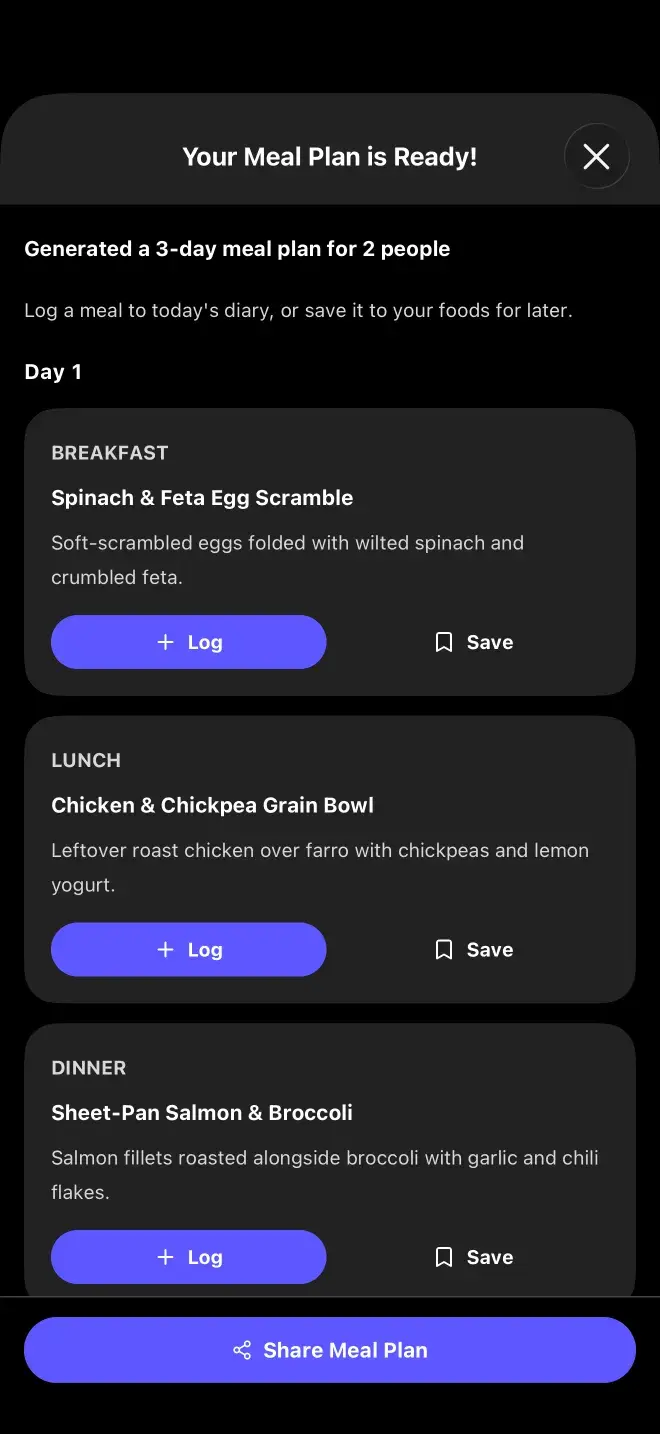
A generated meal plan, listing breakfast, lunch and dinner for each day with ingredients, prep time and servings.

What it takes

A photo of what you have, plus how many people you're feeding, how many days you want to cover, which meals to include, and whether it's allowed to assume you'll buy a few extra items. It respects any dietary restrictions you've set.

What you get

A day-by-day plan with ingredients, instructions, servings and prep time, plus a list of what it detected in your photo and anything extra you'd need to buy.

Photograph with the door open and things visible. It can only plan around what it can see, so a packed shelf photographed edge-on gives it very little to work with.

Previous

The Menu Scanner

Next

How the AI works

Still stuck? Get in touch.

App StoreGoogle Play

Nutrition Facts

Food Loops · per install

Serving Size

1 phone

Servings Per Device

∞

Accounts Required

0

Email Addresses Collected

0

Passwords To Forget

0

Food Logs Stored On Our Serversthey live in SQLite, on your phone

0

Meal Photos Kept After Analysisprocessed, then dropped

0 g

Ways To Log A Meal

5

Barcode Scans

Unlimited

Percent Daily Values are not based on anything, because there is no recommended daily allowance of food tracking apps. Every number above is real — see how your data is handled.

Food Loops Logo

Food Loops

A food tracker that turns a photo, a barcode, or a plain sentence into macros — and keeps the results on your phone.

Product

HomeCalculatorsHelpWeight ForecasterBlood SugarBlog

Company

AboutDownloadSupportFAQ

Legal

Privacy PolicyTerms & ConditionsDisclaimer
Download for iOS →Download for Android →

© 2024–2026 Food Loops by Rubber Bands LLC

Made for people who read the label.