Food Loops Logo

Food Loops

CalculatorsHelpAboutBlogSupportDownload
← Help center

Logging food

Describing a meal

Log food by typing or talking, in the words you'd use with a person.

The Describe screen logs a meal from a plain-language description, typed or spoken. It's designed for food that has no barcode and doesn't photograph well.
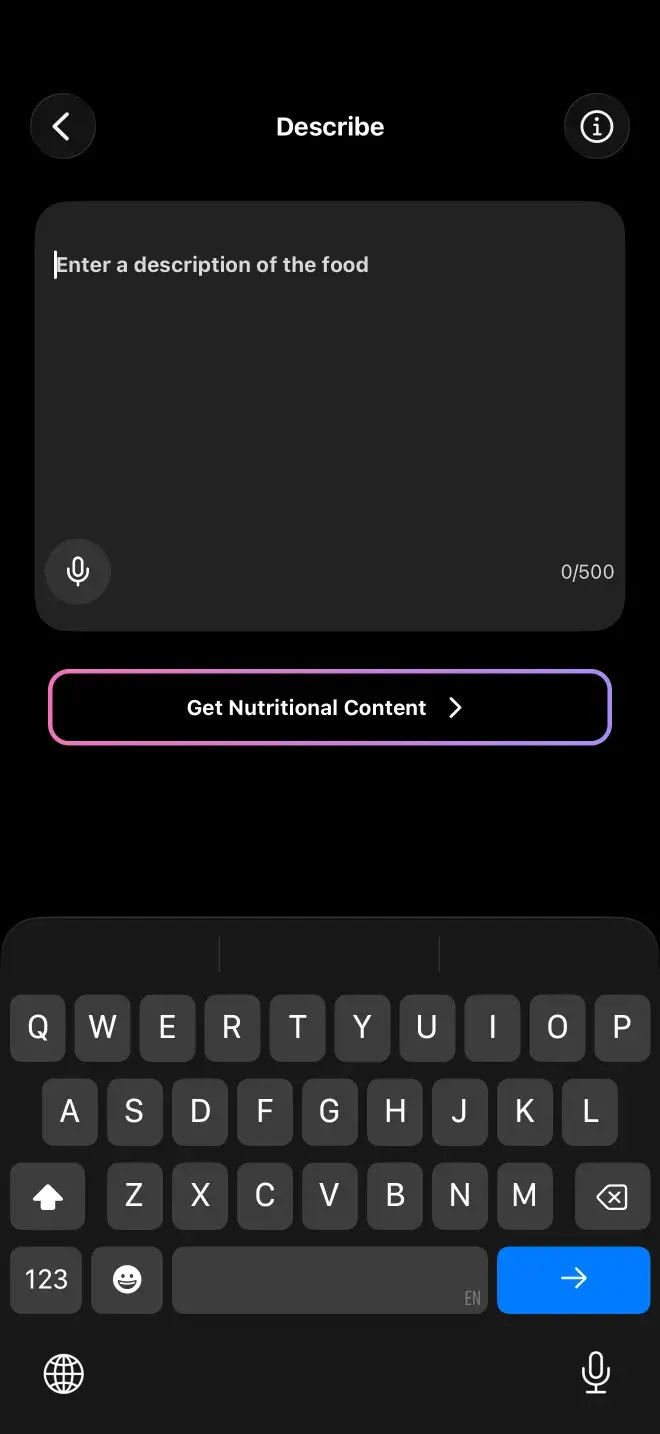
The Describe screen, where a meal is logged by typing or dictating a plain-language description instead of searching a database.

How to describe food well

Be specific about quantity and preparation, because those are what the estimate hinges on. "Chicken" could be anything; "a grilled chicken breast, about the size of my palm, no skin" is something a model can actually price.

  • Include rough amounts — "about ten chips", "half a bagel", "a palm-sized piece".
  • Say how it was cooked. Grilled, fried and roasted are not the same number.
  • Mention what's on it. Dressings, oils and sauces are usually where the calories hide.
  • List everything on the plate in one go; you don't need a separate entry per item.

Dictation

Tap the microphone and talk. It stops listening after about five seconds of silence, so you can pause to think without it cutting you off mid-sentence.

Estimates are estimates. For a meal you eat constantly, it's worth entering it manually once from a recipe and then reusing that entry.

Previous

Barcode scanning

Next

Combos and favorites

Still stuck? Get in touch.

App StoreGoogle Play

Nutrition Facts

Food Loops · per install

Serving Size

1 phone

Servings Per Device

∞

Accounts Required

0

Email Addresses Collected

0

Passwords To Forget

0

Food Logs Stored On Our Serversthey live in SQLite, on your phone

0

Meal Photos Kept After Analysisprocessed, then dropped

0 g

Ways To Log A Meal

5

Barcode Scans

Unlimited

Percent Daily Values are not based on anything, because there is no recommended daily allowance of food tracking apps. Every number above is real — see how your data is handled.

Food Loops Logo

Food Loops

A food tracker that turns a photo, a barcode, or a plain sentence into macros — and keeps the results on your phone.

Product

HomeCalculatorsHelpWeight ForecasterBlood SugarBlog

Company

AboutDownloadSupportFAQ

Legal

Privacy PolicyTerms & ConditionsDisclaimer
Download for iOS →Download for Android →

© 2024–2026 Food Loops by Rubber Bands LLC

Made for people who read the label.